
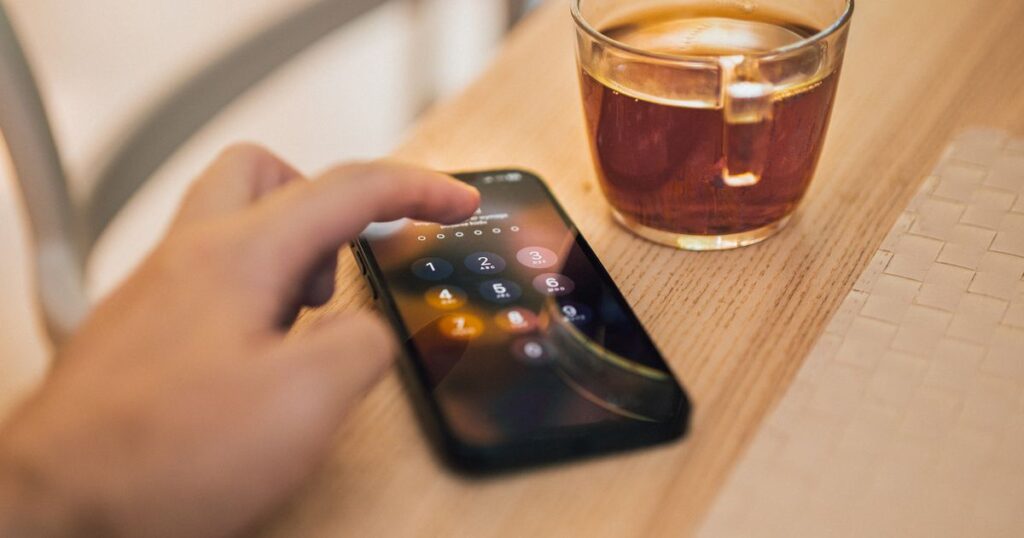
More and more sites now ask, “Do you want to create a passkey?” If you’ve wondered what passkeys are and whether you should say yes, the short answer is: probably yes. Passkeys let you sign in with your fingerprint, face or phone PIN instead of a password, and they’re far harder for hackers to steal. Here’s how they work.
Quick answer: A passkey is a login that replaces your password. It’s built on a standard from the FIDO Alliance and backed by Apple, Google and Microsoft. Your device creates a pair of digital keys: a public key stored by the website and a private key that never leaves your device. You unlock it with your face, fingerprint or PIN. Because there’s no password to type, passkeys can’t be phished, guessed or leaked in a data breach.
What are passkeys, exactly?
A passkey uses a method called public-key cryptography. When you create one for a website:
- Your phone or computer makes two linked keys.
- The public key goes to the website. It’s useless on its own, so it doesn’t matter if it leaks.
- The private key stays on your device (or in your encrypted password manager) and is never sent to the site.
When you sign in, the site sends a challenge. Your device signs it with the private key after you confirm with your face, fingerprint or PIN. The site checks the signature with the public key, and you’re in. Your fingerprint or face data stays on your device. The website never sees it.
Passkeys vs passwords
| Feature | Password | Passkey |
|---|---|---|
| Something to remember | Yes | No |
| Can be phished on a fake site | Yes | No, it only works on the real site |
| Exposed in a data breach | Often | No, sites only store the public key |
| Can be reused across sites | Often (a big risk) | No, each site gets a unique passkey |
| Sign-in speed | Type it, plus often a code | One tap with face or fingerprint |
Why passkeys stop phishing
Phishing works by tricking you into typing your password on a fake site. A passkey is tied to the real website’s address. If you land on a look-alike page, your device simply won’t offer the passkey. That makes passkeys one of the strongest defences against the scams that spike during busy shopping seasons, like the ones in our Black Friday scams guide.
Who supports passkeys?
All the big platforms do. Apple stores passkeys in iCloud Keychain and its Passwords app, Google stores them in Google Password Manager, and Microsoft supports them in Windows and now offers passkeys by default for new Microsoft accounts. Major sites including Amazon, PayPal, GitHub, WhatsApp and many banks also support them. Password managers such as 1Password and Bitwarden can store passkeys too.
How to set up a passkey
- Sign in to the account normally, for example your Google, Apple or Microsoft account.
- Go to the security settings and look for “Passkeys” or “Sign-in options.”
- Choose “Create a passkey” and confirm with your face, fingerprint or device PIN.
- Next time, pick the passkey option when you sign in.
Many apps will also simply prompt you to create one after you log in.
What if you lose your phone?
This is the most common worry. Usually it’s fine:
- Passkeys saved to iCloud Keychain, Google Password Manager or a password manager are synced and backed up, so they move to your new phone when you sign in.
- You can use a passkey from your phone to sign in on another device by scanning a QR code.
- Most accounts keep backup options, such as recovery codes or a recovery email. Keep these up to date.
Someone who finds your phone still can’t use your passkeys without unlocking it with your face, fingerprint or PIN.
Are there downsides?
- Not every site supports passkeys yet, so you’ll still have some passwords for a while.
- Moving passkeys between ecosystems, for example from Apple to Android, can be awkward, though the industry is working on easier transfers.
- Shared accounts can be trickier, because passkeys are tied to your device or account.
Frequently asked questions
What are passkeys in simple terms?
A passkey is a password replacement. You sign in with your face, fingerprint or PIN, and your device proves who you are using a secret key that never leaves it.
Are passkeys safer than passwords?
Yes. They can’t be phished, guessed, reused or leaked in a website data breach.
Does the website see my fingerprint?
No. Your biometric data stays on your device. It only unlocks the passkey locally.
Can I use passkeys and passwords together?
Yes. Most sites let you add a passkey while keeping your password as a backup.
Sources: FIDO Alliance, Apple Support, Google Account Help, Microsoft Security Blog, Cybersecurity and Infrastructure Security Agency (CISA).