Quick answer: Mercury 3, released by Inception on 19 October 2026, is a diffusion language model that generates text at over 1,000 tokens per second, several times faster than typical chatbots. Instead of writing one word at a time like ChatGPT or Claude, it drafts the whole answer at once and refines it in a few passes. It costs $0.20 per million input tokens and $0.70 per million output tokens, with launch discounts.
Here is how diffusion models work, in plain language, and why they might change how fast AI feels.
How normal AI chatbots write
Most AI models today are autoregressive. They write one token (a word or piece of a word) at a time, and each new token has to wait for the one before it. That’s why you see answers appear word by word. However powerful the hardware, there is a basic speed limit: the model can’t write token 500 until it has written tokens 1 to 499.
How diffusion models write
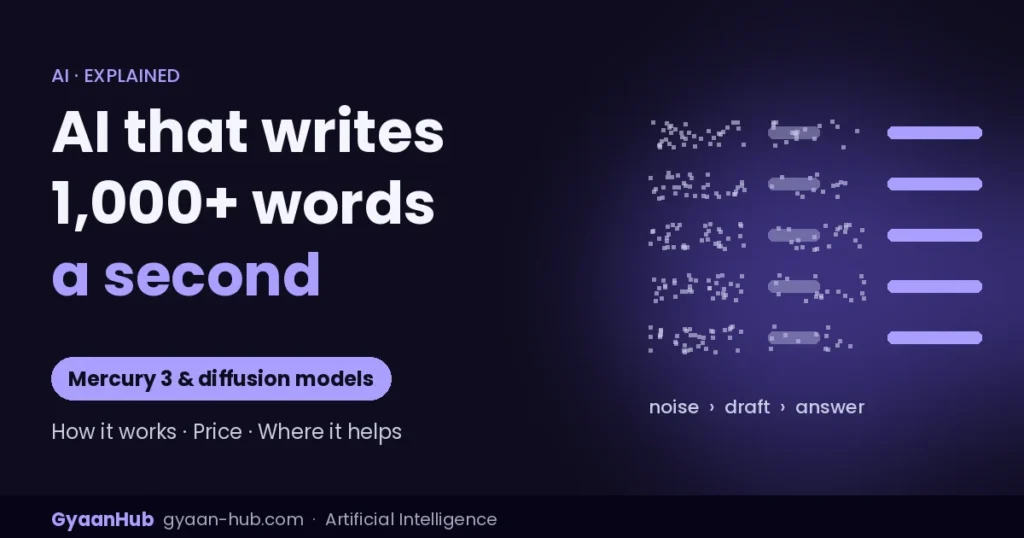
Diffusion is the same idea used by AI image generators. An image model starts with random noise and sharpens it step by step into a picture. A diffusion language model does something similar with text:
- It starts with a rough, noisy draft of the entire answer.
- In each pass, it improves all positions at once, in parallel.
- After a few passes, the draft becomes the final answer.
Because it needs only a handful of sequential steps instead of hundreds, it can be much faster on the same hardware. It can also revise earlier parts of an answer while writing, something word-by-word models can’t do.
Mercury 3 in numbers
| Speed | 1,068 tokens per second on Nvidia GPUs (Inception’s measurement) |
| Compared with | About 130 tokens/s for GPT-6 Luna and 240 for Claude Haiku 5.5, per Inception |
| Context window | 1 million tokens |
| Price | $0.20 input / $0.70 output per 1M tokens (50% off at launch); 100M free tokens for new accounts |
| Access | API only: Inception, OpenRouter, Baseten, Vercel AI Gateway; OpenAI-compatible, model name mercury-3 |
| Size | Not disclosed; over 40x bigger than the original Mercury mini |
Is it actually good?
On Inception’s own tests against fast models GPT-6 Luna and Claude Haiku 5.5, Mercury 3 won 8 of 12 benchmarks, including coding (SWE-Bench Atlas 51.1 vs about 33) and instruction following. It lost on some long-context and coding-agent tests. These are vendor-reported results comparing it with small, fast models, not with the most powerful frontier models.
Where speed really matters
- Voice assistants that need to reply instantly.
- Coding autocomplete that keeps up with your typing.
- AI agents that make dozens of calls per task, where faster replies mean faster results.
- Customer support chat and live translation.
Should developers try it?
If speed or latency is your main problem, yes. Because the API is OpenAI-compatible, testing it usually means changing only the base URL and model name. For the hardest reasoning tasks, frontier models still lead. For the latest model comparison, see Gemini 4 vs GPT-6 vs Claude 5.5 vs Muse Wonder.
Frequently asked questions
What is a diffusion language model?
An AI model that drafts a whole answer at once and refines it in parallel over a few passes, instead of writing one word at a time.
How fast is Mercury 3?
Inception reports 1,068 tokens per second on Nvidia GPUs.
How much does Mercury 3 cost?
$0.20 per million input tokens and $0.70 per million output tokens, with 50% off at launch.
Is Mercury 3 open source?
No. It is available only through APIs, with closed weights.
Sources: MarkTechPost; Business Wire (Inception announcement); Interesting Engineering; The Neuron. Benchmarks are vendor-reported.