
1. Launch game GTA V, let it load until the last loading process comes.
2. Now minimize the game and press CTRL + SHIFT + ESC ( Task Manager )
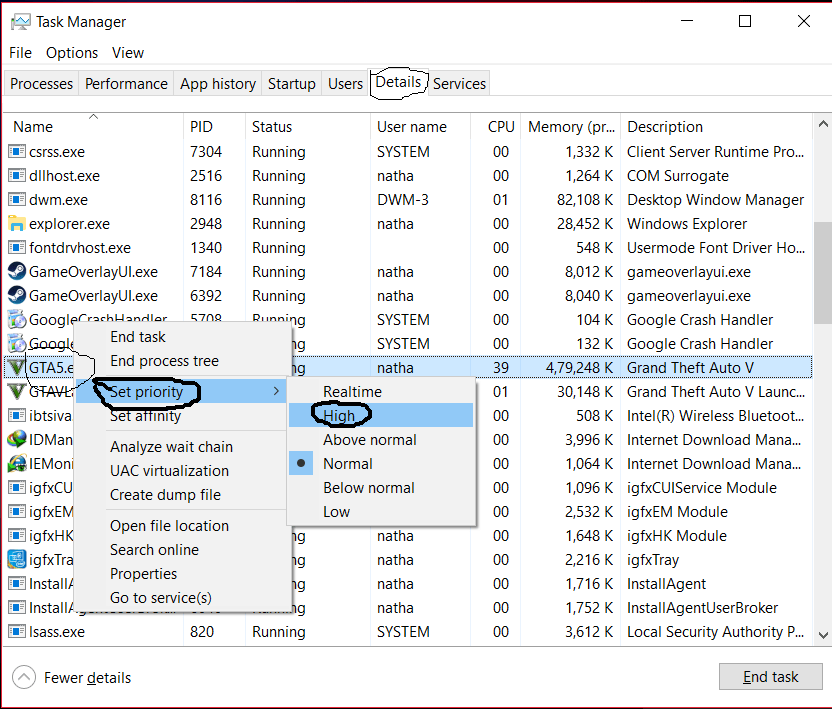
3. Now go to the “Details” tab and search for ‘GTA5.exe’, under name category.
4. Now right-click on (GTA5.exe) and set “Set priority” to High
5. And now open the game again which you’ve minimized.